 FastToChart
FastToChart Documentation
Comprehensive technical and user documentation for FastToChart. Learn about supported chart types, verification mechanisms, PowerPoint integration, and how to achieve the most accurate extraction results.
Upload chartHow it works
- 1Attach your file or describe your chart task in natural language.
- 2Verify extracted values in the interactive data table with confidence indicators.
- 3Export native PowerPoint charts, Excel workbooks, CSV tables, or PNG images.
A chart you can work with
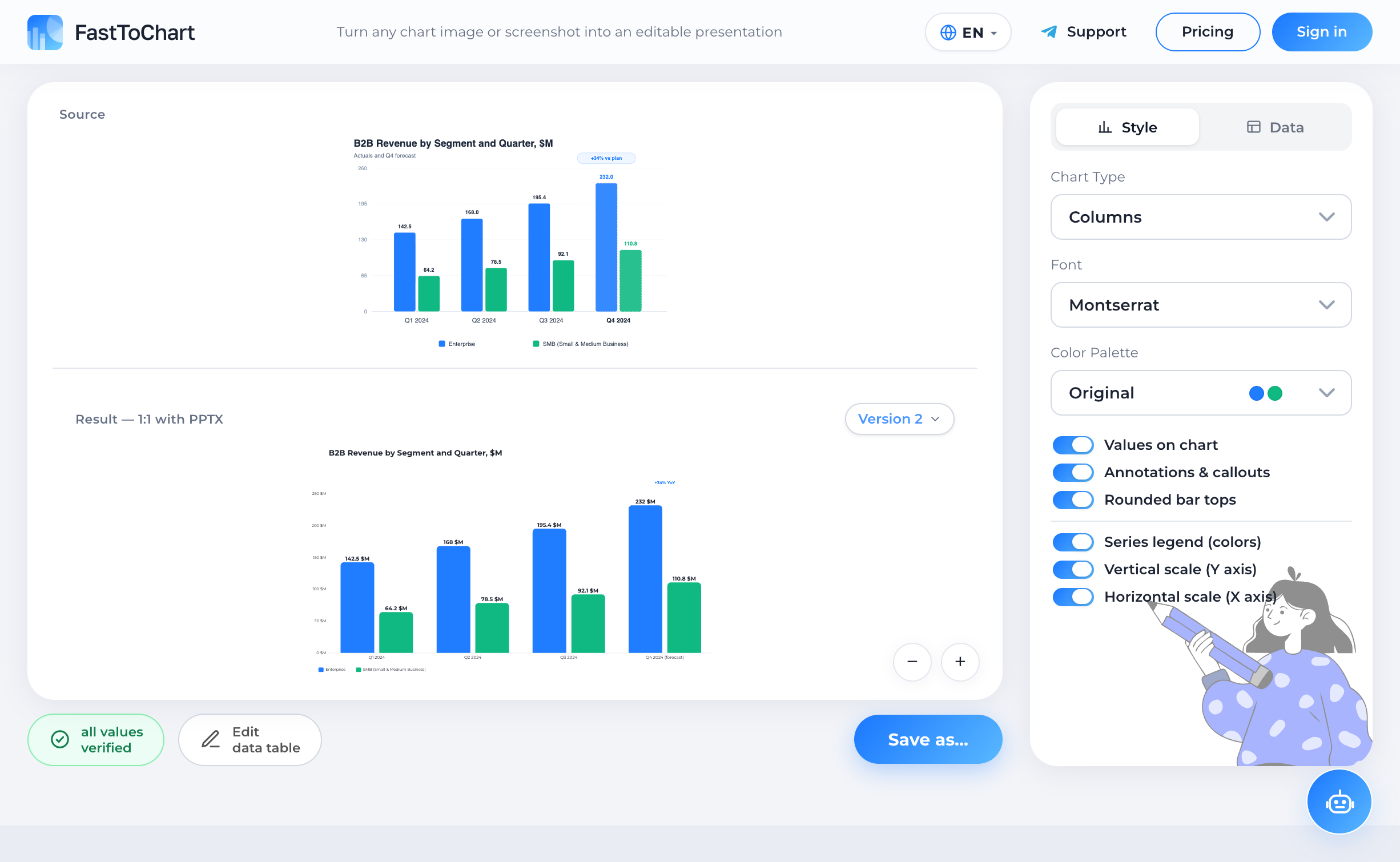
Verify extracted values, update numbers, and customize styling in a unified editor.
- Data table alongside your chart
- Colors and labels under your control
- Editable presentation-ready files
Supported Input Files and Formats
You can attach up to 8 files per task. You can mix and match file types (for example, attaching a presentation template as a target and an Excel sheet as the data source):
Supported Chart Types
FastToChart supports the broad spectrum of professional and academic charts:
Natural Language Prompting
FastToChart understands natural conversational instructions. You can direct the planner and editor just as you would talk to an analyst colleague:
Data Verification and Confidence Scoring
Verification is an essential step in professional workflows. FastToChart color-codes extracted values to give full transparency:
Green cells (100% confidence): Numbers read verbatim from printed labels on the image or parsed directly from native file caches.
Yellow cells (75–90% confidence): Values interpolated from the axis scale based on bar height or point position. Always review these against the original.
Red / Null cells: Genuinely unreadable or obscured points. FastToChart leaves these empty rather than inventing false numbers.
Export Formats and Office Integration
PowerPoint (.pptx): Generates true OpenXML chart objects. When opened in PowerPoint, clicking 'Edit Data' launches the native Excel table. Quality is vector-sharp at any zoom level.
Excel (.xlsx) and CSV: Structured worksheets where categories populate column A and series populate adjacent columns. Numbers are clean for formulas.
PNG: High-resolution raster images for instant inclusion in emails or documents.
Updating Existing Presentation Templates
When you need to keep corporate slide masters, brand typography, and animations intact, FastToChart can update only the underlying chart values without touching slide layout or styling.
This also works for charts constructed from custom PowerPoint shapes: bar heights and labels are recalculated with proportional fidelity.
Chrome Extension
Security and Privacy
Frequently Asked Questions
Yes. You can process up to 5 charts in a single task, and export them as a unified multi-slide PowerPoint presentation.
Try it on your chart
Upload an image, presentation, or PDF — the first three recognitions are free, and editing data or exporting files is never metered.
Open tool